How it looks
Adjust the visual experience so the workspace is easier to follow.
Bring in your work, understand it, make a plan, work through it, and get support when needed.
S4NOW is your study workspace, a friendly place to bring learning or assessment material into one spot and work through it your way. It is a Windows app in early access.
Sign in to openSee what is waiting for you. No credit card needed. Sign up for free and access the dashboard straight away. Browse the available training, explore what suits you, and connect with Peer Connect activities. No purchase required to get started.

People built this. Learners use this.
S4NOW does not promise to do your work for you. It helps you understand the material you already have, see what is required, make a manageable plan and work through it with support when needed.
You stay responsible for your work. S4NOW helps remove the friction.
You may be balancing classes, work, deadlines and everyday life while trying to understand what an assessment or learning task is asking. S4NOW brings the material into one calm workspace and helps you work through it in a way that suits you.
S4NOW helps you bring in material, understand what to do, break it into tasks, work beside the instructions, and get bounded support.
S4NOW is not an LMS, qualification system, assessment authority, or a replacement for your university, RTO, employer, teacher, trainer or assessor.
It does not grade, judge competence, complete assessed work, or decide whether an assessment has passed.
Choose the setting that best fits what you are working on. If you are unsure, you can say that too.
Your original files are not overwritten.


Adjust the visual experience so the workspace is easier to follow.
Choose support for listening and reading aloud.
Set a pace and structure that feels manageable.
Choose response options that suit how you work.
You see larger understandable tasks, not every underlying step.
Finishing an S4NOW task does not mean an external assessment has passed.

Saffie helps you understand instructions, break work down, think through ideas, work one question at a time, find the next step, check your own work, and read material aloud.
Saffie will not complete assessed work or write a submission-ready answer for you. You can choose a Saffie face or No Face.
Use the tools that help, when they help. They work from the material you bring into the workspace.
Turn a large piece of work into smaller, understandable parts.
Pause and check your understanding against the source.
See the shape of the work before moving into detail.
Create focused prompts grounded in the material you brought in.
Listen to a source-grounded summary on your own device.
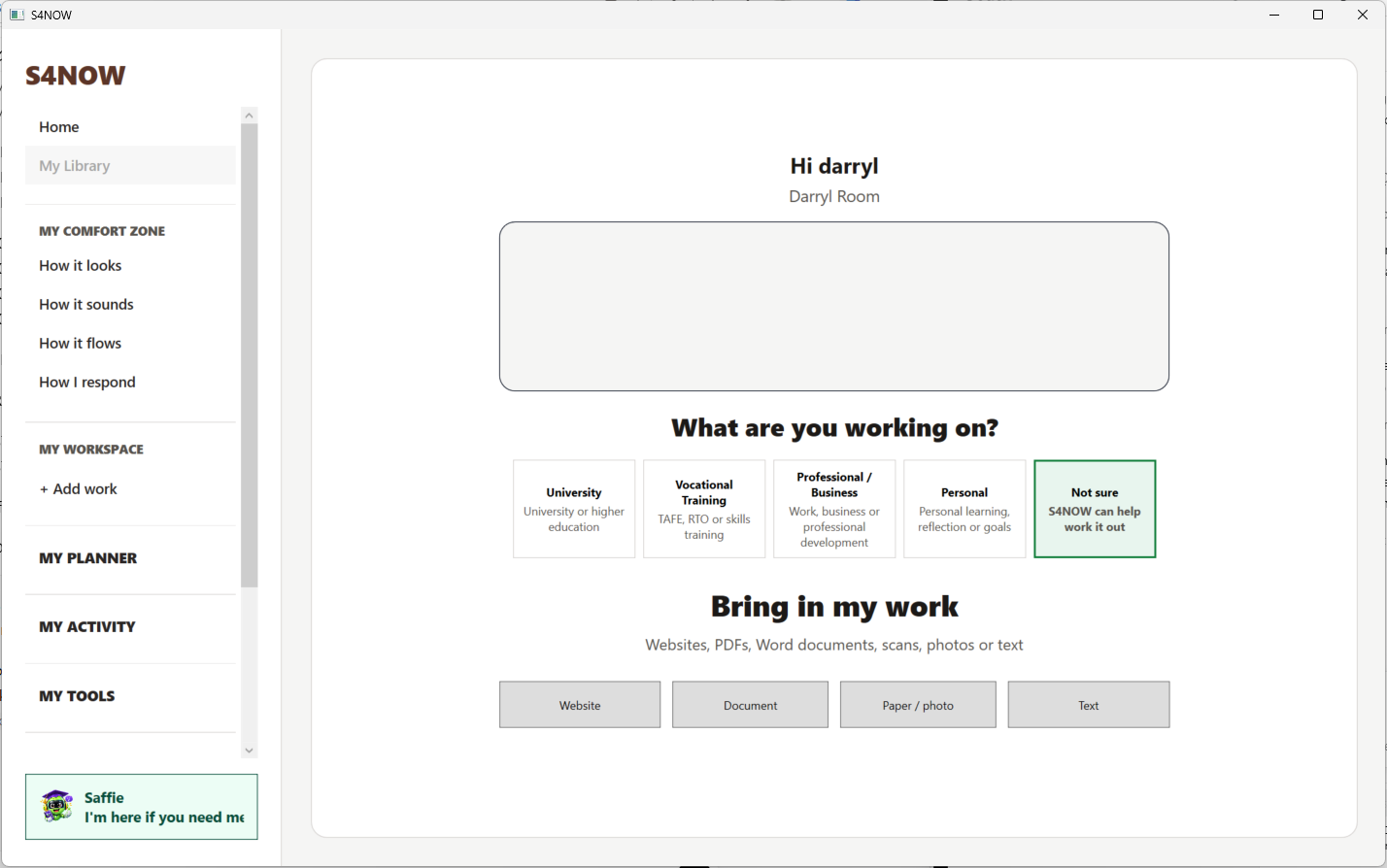
Early access preview. The workspace will continue to change as features develop.
S4NOW runs on your own Windows account, and your work stays on your device. There is no cloud sync or cross-device recovery yet.
University and discussion or project pathways are the most mature. VET, professional, business and personal coverage is still expanding. S4NOW provides no grades, competence decisions, or automatic completion of assessed work.
See what is waiting for you. No credit card needed. Sign up for free and access the dashboard straight away. Browse the available training, explore what suits you, and connect with Peer Connect activities. No purchase required to get started.
Sign in to open